
If you use a Ziggo email account, logging in should be easy. This guide shows you how to access your Ziggo webmail, set it up on phones or computers, and fix common problems. You will be ready to check your email in minutes.
What Is Ziggo Webmail?
Ziggo offers internet, TV, and phone services in the Netherlands. It also gives users email accounts. These emails can be accessed online through a web browser. You do not need extra software. Just open your browser, go to the login page, and enter your email and password.
You can use emails with these domains:
- @ziggo.nl
- @home.nl
- @casema.nl
- @upcmail.nl
- @quicknet.nl
Ziggo webmail works anywhere you have internet. You can log in at home, at work, or on a public computer if you are careful.
How to Log In to Ziggo Webmail
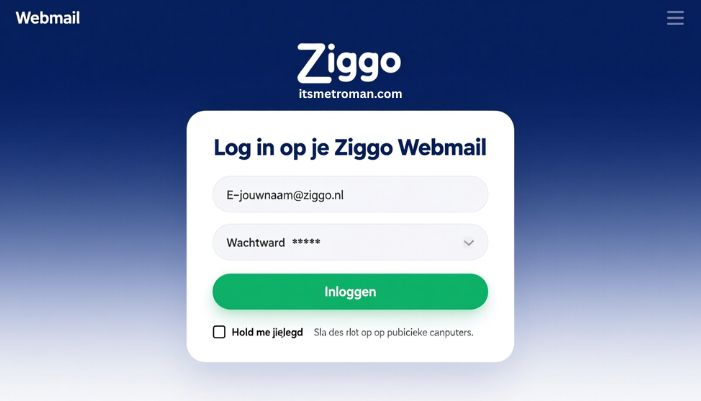
Follow these steps to log in:
- Open your web browser.
- Go to ziggo.nl/mail.
- Enter your full email address. For example, yourname@ziggo.nl.
- Enter your password.
- Click the “Inloggen” or “Aanmelden” button.
- If you use your personal device, tick “Keep me logged in” to save time. Skip this on public computers.
If you cannot log in, check:
- Your email address for typos.
- Your password for caps lock or extra spaces.
- Your internet connection.
What to Do If You Forgot Your Password
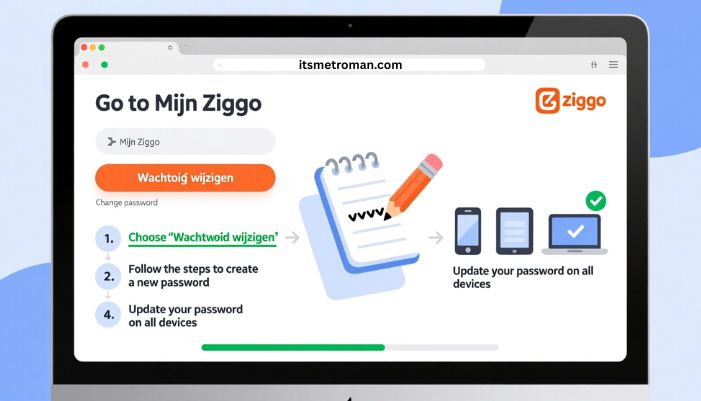
If you forget your password:
- Go to Mijn Ziggo.
- Choose “Wachtwoord wijzigen” (Change password).
- Follow the steps to create a new password.
- Update your password on all devices.
Setting Up Ziggo Email on Phones or Computers
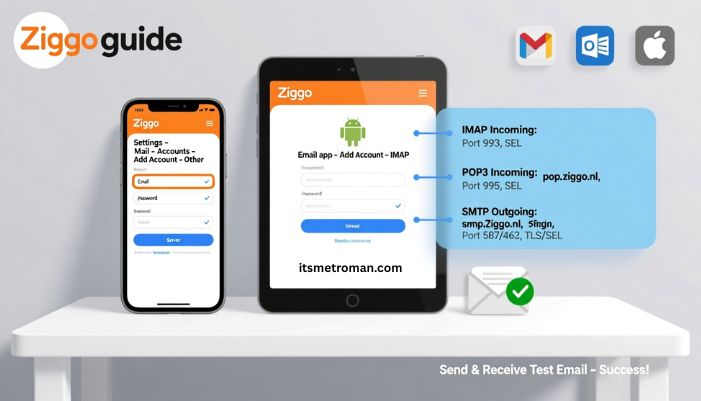
You can use your Ziggo email in apps like Gmail, Outlook, or Apple Mail. This uses IMAP or POP3 to sync emails.
Server Settings
- IMAP Incoming: imap.ziggo.nl, port 993, SSL
- POP3 Incoming: pop.ziggo.nl, port 995, SSL
- SMTP Outgoing: smtp.ziggo.nl, port 587 or 465, TLS/SSL
Example: Mobile Setup
iPhone:
- Go to Settings → Mail → Accounts → Add Account → Other
- Enter your email and password
- Enter the incoming and outgoing server info
Android:
- Open your email app → Add account → IMAP
- Enter your email, password, and server info
After setup, send and receive a test email to make sure it works.
Tips for Using Ziggo Webmail
- Use an updated browser like Chrome or Firefox.
- Avoid logging in on public computers without signing out.
- Delete old emails to free space.
- Use IMAP if you want your mail synced on multiple devices.
Common Problems and Solutions
Problem: Cannot log in
- Check your email and password.
- Make sure Caps Lock is off.
- Clear your browser cache.
- Try another browser or device.
Problem: Can send but not receive emails
- Check your incoming server settings.
- Make sure your mailbox is not full.
- Check spam or junk folder.
Problem: Apps fail after changing password
- Update your password in all apps.
- Remove and re-add the account if needed.
- Make sure server settings are correct.
Why Use Ziggo Webmail
Ziggo webmail is simple and convenient:
- You can access your email from any browser.
- Your email is linked to your internet account.
- You can use it on multiple devices.
- It keeps all emails in one place.
When to Use an Email App
Webmail is good for casual use. If you get many emails or need extra tools, use an app like Thunderbird or Outlook. Use the IMAP/SMTP settings to sync all devices.
Summary
Logging in to Ziggo webmail is simple. Go to ziggo.nl/mail, enter your email and password, and click login. Use IMAP or POP3 for other devices. Reset your password in Mijn Ziggo if needed. Use a modern browser and keep your credentials safe. You can manage your email easily.
FAQs
Q1. What is the login address for Ziggo webmail?
A1. Go to ziggo.nl/mail and enter your email and password.
Q2. Can I use my old @home.nl or @casema.nl email?
A2. Yes. These domains work with Ziggo webmail.
Q3. How do I set up Ziggo mail on my phone?
A3. Use IMAP. Incoming server: imap.ziggo.nl port 993 SSL. Outgoing server: smtp.ziggo.nl port 587 TLS. Enter your email and password.
Q4. What if I cannot access my mailbox after resetting the password?
A4. Make sure the password change applied to the correct account. Update all apps. Clear your browser cache or try another device.
Q5. Can I sync my email across multiple devices?
A5. Yes. Use IMAP to keep emails synced on all devices.